Tuesday, 22 August 2017

Best way To Moderate YouTube Spam Comments Automatically Using Artificial Intelligence

Best way To Moderate YouTube Spam Comments Automatically Using Artificial Intelligence
Artificial Intelligence is here, and many companies are offering it to us to improve our work flows.

Earlier, I talked about the web app (also iOS app), SmartModeration, which automatically tackles spam comments on Instagram and Facebook (check out my review here). I’ve been using it for almost a year to tackle the spam comments on ShoutMeLoud’s Instagram and Facebook pages.
The big news: The same AI technology can now help us combat spam comments on YouTube.
Recently, SmartModeration has integrated with YouTube, so you no longer have to worry about moderating and tackling spam comments on your videos. If you are a YouTube channel owner or a YouTube influencer, this new integration is going to be so valuable for you.

How To Tackle YouTube Spam Comments Automatically Using Artificial Intelligence

If you have never used SmartModeration before, go ahead and sign up right now. They offer a 3 day-free trial which is good enough to tackle spam comments for all of your existing updates on Instagram, YouTube, and Facebook.
In this tutorial, I’m sharing how to use their new YouTube integration.
  • Log in to your SmartModeration account.
  • Click on the Page Management tab (Direct link).
Page Management
  • Click on Add New Channel.
  • Give access to your YouTube channel.
  • Repeat the process if you have more than one YouTube channel.
YouTube channel
Once you have allowed access, it will take a few minutes to scan your existing published and pending YouTube comments.
You should give an hour or so to let the SmartModeration bot to do its magic.
When done, you can use the tabs to quickly find ‘inappropriate’ and ‘automatically hidden spam comments’.
SmartModeration
Well, now you’re all set. You can start using their web app or their mobile app to moderate your YouTube comments.

What if you have a new or moderately popular YouTube channel?

Here is the thing, not everyone needs SmartModeration to moderate YouTube comments. If you have a well-established and active YouTube channel, SmartModeration is definitely a good choice.
But if you are someone who gets a limited amount of comments, then you don’t need SmartModeration. You can manually moderate comments by configuring the settings.
Here is how you do that:
  • Go to the YouTube community settings by clicking here.
Here you can configure settings to manually review all comments.
YouTube community settings
This definitely increases the time by which new comments will appear on your newly publishes posts, but you won’t have to pay for SmartModeration.
For new and medium traffic YouTubers, you can use the YouTube Creator Studio app (Android | iOS) on your smartphone to moderate comments.
However, once you reach the stage where your time is money, and you are getting a lot of comments, using an AI tool like SmartModeration can significantly improve your work flow.
Take a 3-day free trial of SmartModeration
Along with this new YouTube integration, they have recently revamped their dashboard:

They’ve also added another cool feature…
AI-Powered Blacklist: Here you can define keywords for your specific moderation needs, and the AI-powered blacklist will detect and hide comments with your pre-set keywords and their variations like frequent misspellings or large spaces in between letters.
I have been using this tool to manage my Instagram and my Facebook for quite some time. And now, I’m pretty excited that I get to use it to moderate my YouTube comments as well. If you are someone who understands not only the importance of comments but also the idea that “time is money”, you should definitely look into using this great service.
Now I want to hear from you: Have you used SmartModeration before? What do you think about it? Are you excited about this YouTube integration? Let me hear your reviews in the comments below! Also, if you use any other Artificial Intelligence comment fighting tool, do tell us about it in the comments!  
Here are some more hand-picked articles to improve your YouTube experience:

Like this post? Don’t forget to share it!
SmartModeration is a great tool to use to tackle spam comments on Facebook, Instagram, and now YouTube. It's a little pricey for new marketers, but for those with large followings, this tool is invaluable.
  • 4.5
    editor rating

Four Steps to Determining the Scope and Relevance of Social media

Four Steps to Determining the Scope and Relevance of Social media


The social networks have reached an extraordinary peak knowing them to manage, can be beneficial to many areas of some companies. Fundamental to them is the knowledge of user behavior to determine the scope of our message and relevance of them. There are many ways to determine the scope and relevance, but it might be good to focus on two simple questions:
1) What number and what kind of people I’m coming with my efforts in Social Media?
2) How will we develop content specifically targeted to these people?

The scope and work closely with relevant metrics, helping you determine the effectiveness of your campaign and how to improve your interactions. It is not only how many people are coming, but if you’re heading to the right audience and relevant at a time.
Here are four steps that will help you examine and understand the scope and relevance of your message in a Social Media strategy.

Step 1 – Determine the current scope
This is the easy part. Your strategy in Social Media interaction likely involves multiple platforms.Measure its scope is to find how many people follow you or have chosen to establish a relationship with you on every platform. For example:
• How many Twitter followers do you have?
• How many Facebook fans?
• How many YouTube subscribers?
• How quickly your audience grows in each of these networks?
• What is the number of page views of your blog?
• What is the average number of retweets your content?
All these numbers will give you a clear idea of the scope and expected growth potential given your current strategy. The goal is to increase your reach, so the following three steps are designed to help you increase your business and know what is happening channels.

Step 2 – Determine the demographics of your fans
The scope is not the ultimate objective measures success in Social Media. You may have gained a huge following on Twitter or Facebook, but that does not correspond with the growth of the business.You may also be struggling to grow your reach and followers you have, are fans and are very committed to you to recommend your content to others.
By measuring your fingertips, you need to look beyond the numbers in general. It is important to understand who are your supporters and fans, and learn about their demographics as possible.Using the measurement information available on most platforms, data can be determined as:
• Age
• Location
• Genre
• Type of content preferred
• Other interests
You can review this information together with the measurement of interactions to determine which subset of the numbers, in general, are more active and also what content is appealing to different demographics within their constituency as a whole.
Step 3 – Calibrate the relevance of content and interactions
Once you have determined who is forming the core of your presence in social media, you’re ready to start developing content that is highly relevant to your audience.
The relevance of the content is the key to the success of your Social Media strategy. You might have a massive reach, but without relevance, is not effectively connecting with constituents, and as a result, you’ll never see the positive results for your business. You can measure the relevance of your content by checking how users interact with it. The following questions will help:
• What content has generated most of the interactions in recent months?
• What was the feeling of those interactions?
• How is the content related to my business/brand / product?
• What were the demographic Highlights of users who interact with your content?
• What content generated less interaction occurred?
• Why did not succeed the content?
Relevance is what enables brands to harness the power of amplification through a network of users.When the content is relevant, is likely to be shared by your followers among his friends and quickly spread and generate value from a wider network. By interacting on social networks, the relevance is the first thing any marketer should consider before developing or publishing content, so you understand what worked and what not, is the first step in creating truly relevant content in the future.

The specific orientation of the influencers in your network of followers is also key, as these evangelists have earned the trust of readers in their sector and have a special impact on them.

Step 4 – Customize the content to increase relevance to the main public
The final step of your reach and relevance is to create and test new content based on what you have learned about the profile of users who follow you through the last three steps. The generation of highly relevant content and targeted to specific groups of users in a meaningful way will begin to grow their interactions.

Then you can compare previous data with new data set to modify and refine your campaign, to identify what is working and what is not. As the relevance of content grows and continues to reach your target audience, increase its power generating meaningful interactions with the fans that will result in business growth and is therefore in sales.Once you get used to controlling a process of regular measurement and have a set of relevant statistics of the trends of your users, you will see improvements in your business driven by the extent of your message through influential users.
Once you get used to controlling a process of regular measurement and have a set of relevant statistics of the trends of your users, you will see improvements in your business driven by the extent of your message through influential users.

Thursday, 17 August 2017

Mistakes to Avoid During Facebook Marketing

Mistakes to Avoid During Facebook Marketing
Facebook Marketing Mistakes

 It would not be an over statement if we remark that Facebook has become a household name of the current generation. Right from networking to entertainment to education and to business, Facebook offers opportunities that touch every sphere of life of its millions of registered members. So, it is evident that you have surely come across the new role of this social media platform – Facebook marketing.

While in the broader sense you get more profits than loses with thissocial media marketingoption, there are times when losses may prevail! There are situations when business entities commit mistakes with Facebook marketing, and eventually fail to get the desired positive outcome from the project. Learn some of them so that you do not make the same Facebook marketing mistakes too.

3 Simple Facebook Marketing mistakes to be Avoid at any cost

Not creating genuineness
At first you will feel live heaven when you create your business page on Facebook and invite your fans and contacts to ‘like’ it or ‘share’ contents. But if you are not serious enough about creating authenticity of your brand then you can have a bad time with Facebook and product will not get positive footprints any further! A tip for avoiding this is to interact with your visitors by making them understand what are your offers and why are they lucrative, rather than making a futile attempt to broadcast it. Facebook provides an opportunity to interact personally with your clients, so instead of just being a company, be a person to them!
Too predictable
If you present the same old thing in the form of ‘something new’ to your Facebook generated traffic, you cannot expect to win potential traffic that increases your salability. In nutshell, Facebook marketing will never work as desired that way! Although during the initial launching days traffic will come, they will not remain loyal to your page or feel any urge to recommend it to others. So, the tip to avoid this and make this social media marketing a mega hit is to create out of the box ideas that are not at all predictive. Try to introduce your new products or offers to the public, but in a way that they feel personally touched by the post. Ask for suggestions and comments.
I also recommend you to avoid making the mistake by submitting similar type of content in every update. Keep a good variation of Textual, images, quotes and other such content to make your content more interesting and this will help you to target wider range of audience.
  • Read
Inactive page
Making the Facebook page and totally forgetting it will not work at all.  What happens is that as soon as your contacts realize that your business page is not active, they sniff that it is not authentic and hence not to be relied upon! This will give you the inevitable blow that you were always afraid off, and your Facebook face will just remain like a frigid poster and nothing more! Instead, encourage regular activities in the page to win reliability.

With a Facebook page in place, it is not always necessary to post product reviews or various season offers. To keep your crowd engaged you can encourage your fans to send in their reviews about the recent experiences they had with you. You can also post pictures of a recent office party or a special event you were invited to. The idea is to keep feeding the audience something to digest and keep the interactions rolling!

These are just few of those common Facebook marketing mistakes that people make and I also linked out to some of the worth reading resources from the web, which will ensure you will not end up making any such mistakes and you will avoid them at any cost. If you have any of your tip or list of mistakes which we should avoid, do let me know via comments. If you find this article useful, don’t forget to share it on Facebook.

How to Get Loyal Instagram Followers & Keep Them Forever

How to Get Loyal Instagram Followers & Keep Them Forever
Get Loyal Instagram Followers

Do you use Instagram to promote your business? If not, learn why you should start using Instagram for your brand. Be it a business or a blog, Instagram marketing can give you effective results in a short time.
According to the Pew Research Center, Instagram is the fastest growing social network. In December, 2014 it overtook Twitter in the number of users. Instagram has over 300 million users compared to Twitter’s 284 million.


Engagement rate on Instagram is also very high when compared to other networks.
Instagram Brand Engagement

Forrester analyzed more than 3 million interactions with more than 2,500 brand posts on seven social networks. The engagement rates for these brands on 6 of the 7 social networks studied, was less than 0.1%. On that one network, Instagram, posts generated a per-follower engagement rate of 4.21% which is 58 times more engagement per-follower than Facebook, and 120 times more engagement per-follower than Twitter.
All these statistics prove this is the perfect time to build an Instagram following. So here are working tips to start getting Instagram followers fast and for free.

How to Get Instagram Followers & Keep Them Forever

1. Post quality images: Instagram is all about Visuals

On any social network, be it Facebook, Twitter, Pinterest or Instagram, the best way to get fans or followers is by posting quality updates. When you post more quality updates, more people will see the amazing things you share and will want to follow you in order to see your future updates. And don’t underestimate the power of engagement. Engagement on Instagram, in the form of ‘Likes’ and comments will ensure that your images are seen by more people, and will add social proof. When people see that your posts have received a lot of ‘Likes’ and comments they will be more likely to follow you.

Here are some tips to ensure your Instagram posts get more engagement…
a) Curalate analyzed more than 8 million Instagram photos and found that images with a high amount of lightness generate 24% more likes than dark images and that images with a high amount of background get 29% more likes.

get loyal instagram followers

The study also found that….
Images with blue as the dominant color get 24% more likes than those with red as the dominant color.
Images with one dominant color get 17% more likes.
Images with low saturation get 18% more likes.
And images with high levels of texture generate 17% more likes.
b) Dan Zarrella also analyzed just under 1.5 million photos from over 0.5 million Instagram accounts to determine what types of posts get more ‘Likes’ and comments. I have listed some of his results below.

Use more hashtags on Instagram

Use more hashtags: Dan Zarrella found that the more hashtags an image has on Instagram the more ‘Likes’ and comments it receives. In fact if you look at the above graph you will notice that images with around 30 hashtags received the highest number of ‘Likes’ and ‘comments’ which is also the highest number of tags Instagram allows. You can find the most popular hashtags here.
Stay clear of filters: Photos devoid of filters received the highest amount of ‘Likes’, so don’t get tempted to use one.

Use calls-to-action: Photos with the caption ‘like’ got 89% more ‘Likes’ and those with the word ‘comment’ got 2,194% more comments. So make a goal before you publish your post and write captions which will help you reach your goals.
Share photos of you: Dan Zarrella found that photos with one or more faces got 35% more ‘Likes’ than those without. If you plan to share selfies, then try taking snaps of you with a duck face, as the Curalate study referenced above found that duck-face selfies generated 1,112% more ‘likes’.
If you follow the above tips while sharing photos on Instagram, your photos will receive more engagement, which should convert to followers.

2. Leverage other networks: Interlink Social-network

If you have loyal followers or fans on other social networks you can ask them to join you on Instagram too. If they engage with your updates on other networks they will want to see and engage with your photos on Instagram. They will not only follow you but will also regularly ‘Like’ and comment on your Instagram photos.

UberFacts uses this technique really well. Along with the many photos they post on Facebook, they include a link to their Instagram account and a call to action that asks people to follow them on Instagram. As UberFacts has over 1.5 million Facebook fans and really high engagement levels, this technique should help them get plenty of new Instagram followers. They have 554,000 Instagram followers right now.

Convert Facebook Fans to Instagram Followers

An example is this post. It has the text, ‘Follow UberFacts on Instagram!’ followed by the link to their Instagram account. The post received over 65,500 ‘Likes’ and 2,700 shares which should have helped them gain a good amount of Instagram followers. In a similar way you can ask followers from your various social media accounts to follow you on Instagram.
If you have a blog or website you can add a ‘Follow me on Instagram’ button to it. This button will help convert traffic into followers.

3. Invite Friends: Don’t walk alone!

You can invite friends from your other social networks and those in your contact list to follow you on Instagram using the Instagram ‘Find & Invite Friends’ feature. If you choose this option Instagram will contact your friends through email and text messages and prompt them to follow you. This is an easy way to get many followers quickly, especially if you have a new Instagram account.

5. Run contests: Instagram follower magnet

A contest is one proven method for gaining Instagram followers in a short time. If a contest is run effectively and generates engagement, some of that engagement will definitely convert to followers.  You can ask people to follow you to take part in a contest to ensure you get the end result you want. It would actually be better to ask participants to do more than just follow you. You can ask them to upload photos, use certain hashtags, mention others, sign up with their email address, etc. This will get you a better return on investment.
An example of an Instagram contest that helped someone gain a lot of followers is the one run by Deftones.

Contests Can Get You Instagram Followers

Deftones, an American rock band ran an Instagram photo contest where their fans could easily take part by uploading photos of themselves at Deftone concerts they attended and then tagging it with the hashtags #deftones and the city they attended, like #newyork. Within 3 months of starting the contest, the band’s Instagram account got close to 20,000 followers. People weren’t asked to follow them to take part in the contest, but they followed them anyway. This can actually prove to be more effective as people were not only following them so that they could win the contest. They followed them because they wanted to.

Instagram Contest for Followers and Engagement

Another example of an easily run engaging contest is this one by Drinkwel. To take part in it, all participants needed to do was double-tap (‘Like’) the photo and then tag a friend in the comments. A contest like this which involves ‘Liking’ and tagging of friends can get you both engagement and followers.
Many of the tagged users will take part in the contest and will be inclined to follow Drinkwel.  If you check out Drinkwel’s Instagram account you will notice that they run contests on a regular basis. Following them will ensure that the follower is notified when a new contest is launched

Follow to Take Part Instagram Contest
This contest from Android Central is an example of a contest where people needed to follow in order to take part. As I mentioned earlier, asking people to follow to take part in a contest can be a great way to get followers.
To start getting loyal Instagram followers, begin using the above tips and strategies. You can start by posting quality images and inviting contacts, friends and followers from your other social networks. After that you can experiment with contests, and determine which one gets you best results. Always track your results to see what works.

What do you do to generate loyal Instagram followers? Did I forget to list anything important? Please leave your comments below.

Facebook Marketing Fail – Mistakes Your Business Should Avoid

Facebook Marketing Fail – Mistakes Your Business Should Avoid

Seven years after social media became too popular for the average citizen (and marketers) to ignore, it’s still a source of confusion for business owners.  Conventional wisdom says you should have a Facebook and that you should have a Facebook business page.  But to many business owners, using this social media network effectively is akin to figuring out how to split atoms.
Facebook has a cool mystique about it among business owners.  They’ve got a page, their name is in lights. Now what?  What often comes next is a complete butchering of the medium and muddled posting that leads many users to tune that business out or shake their head.  Don’t be that business.  Be the business that succeeds, not the business committing Facebook fails.
 Facebook Marketing fail

Before Your Business Flees in Terror, Step Back and Review Your Efforts.

Common Facebook Page Marketing mistakes:

The natural inclination when one realizes their Facebook strategy isn’t working is to give it up entirely.  How many times have I heard someone exclaim, “This junk doesn’t work!”  Unfortunately, it’s a common occurrence.  Instead of giving up and abandoning your business’ efforts, let’s take stock of the reasons why you may have failed on Facebook.  Keep calm and breathe as we review the mistakes you may be making:
  • Frequent posting fail.  Are you posting in 10 minute increments all day like you think you’re CNN’s running news feed? Stop. Stop now before every fan who liked you hits unlike and runs.  When you post too frequently, people get annoyed or scared by your strong come on.  Instead, shoot for 1-3 posts per day.
  • You wandered off brand.  Your business’ Facebook page is not your personal page.  It is an extension of your brand.  You should be posting content which relates back to your brand and which further communicates this brand to consumers.  You shouldn’t be posting any old thing you run across on the internet.  You could be driving customers away.  They liked you for a reason.  Stick to topics, pictures, and discussions which relate back to your brand.
  • You stuck your foot in your mouth and offended people. Nothing screams inappropriate like political posts, religious debates, and curse words.  Unless you’re a political analyst, keep the politics at home.  This is a public business page which will communicate your brand image, not the hatred you may have for a particular political party. Nothing drives customers away faster than contentious and offensive posts.
  • You’ve become a used car salesman overnight.  Did your last 9 posts reference that sale today?  If every post you make is sale sale sale or buy buy buy, you could start to hemorrhage fans.  Don’t use your statuses as a never-ending pitch.  Use them to engage people in discussion, to share relevant on brand content, to inform and entertain.
  • Your page is all text and no visuals.  Oops, you forgot that people like to look at pictures.  Visual marketing is more important than ever these days.  To harness that power, post some pictures.  Take a team picture at your store, post a unique cartoon that discusses your industry, or put up a picture of your newest product.  Give people something to look at.  If you’re not visual, you could be losing customers.
If your efforts aren’t working, you need to sit down and reevaluate how you can change tactics.  Don’t keep pursuing failed strategies of the past.  Instead of continuing to fail, start winning with strategies your fans can’t ignore.

Have you ever made any such mistakes on Facebook, which leads to complete Facebook marketing fail for your campaign or advertising efforts? Do share your experiences.

Wednesday, 16 August 2017

Do You Really Know What Visitors Are Doing on Your Website? Here’s How You Can

Do You Really Know What Visitors Are Doing on Your Website? Here’s How You Can
If you can’t measure something, you can’t understand it. If you can’t understand it, you can’t control it. If you can’t control it, you can’t improve it. ― H. James Harrington
Quick question: How much effort do you put into creating high-quality media for your website?
Don’t answer that, it’s rhetorical. I know you put in all the effort that you can; any serious publisher does, it’s otherwise not possible to survive on the hyper-competitive web.
Now, for a non-rhetorical question: Do you measure user engagement on your website?
Sure, you have Google Analytics installed, but how does that give you any special insight over anyone else?
Don’t get me wrong, Analytics is a great tool, depending on your knowledge—you can do some amazing things with it, but you can’t do everything.
You can’t accurately track time-on-site (most commonly used web analytics tools let you do it but it’s not precise), scroll depth, user attention zones and many other such intelligent metrics that will get you thinking less of the ‘click web’ and more of ‘attention web’.
But wait…

What is the ‘attention web’?

Attention web is a set of ideas and concepts that mark a shift in mindset when it comes to measuring user engagement on the web; spurred in parts by independent web developers, industry thought leaders, and specialist publishing and ad ops teams at large publications such as Upworthy, Medium, and BuzzFeed.
Medium uses a self-defined metric to measure success, as explained by the CEO, Ev Williams.
Internally, our top-line metric is “TTR,” which stands for total time reading. It’s an imperfect measure of time people spend on story pages. We think this is a better estimate of whether people are actually getting value out of Medium. By TTR, last week was still big, but we had 50% more TTR during a week in early October when we had 60% as many unique visitors (i.e., there was way more actual reading per visit).
Ev is far from the only person who understands that our current means of measuring engagement are not evolved enough to tackle the modern web.
Nick Rockwell, CTO, NYTimes, recently made the following observation:
Focusing on clicks would be a terrible mistake for us. We know from the data that the cycle for a reader to grow to understand the Times and eventually become a subscriber is measured over many years. Sometimes as long as a decade. The signal that you get from just looking at clicks is not going to be significant enough. We haven’t landed on what we think the perfect formula is. Amongst the things we care about are what people click on, the time they spend with a particular piece of content, scroll depth, as well as repeat visits over a defined period of time. Those are some of the key metrics.
So, what can you track about your users that will give you beyond-the-basics data and insights, and how?
Here are a few tools that you can set up and start using now.

1. The Parsnip.io Bundle

Track deep engagement metrics

Between 22/09/2016 and 4/10/2016, visitors collectively spent 2,692,545 seconds or ~747 hours on our blog, as measured by Riveted.
Between 22/09/2016 and 4/10/2016, visitors collectively spent 2,692,545 seconds or ~747 hours on our blog; as measured by the tool Riveted provided by Parsnip.io
A set of three open-source user engagement tools created by Rob Flaherty, a digital product consultant from New York. These tools allow you to measure things like how deep users are scrolling your page, how much time they’re spending on your website and on which sections.

Scroll Depth

Scroll Depth is a small Google Analytics plugin that lets you measure how far users are scrolling. It monitors the 25%, 50%, 75%, and 100% scroll points, sending a Google Analytics Event for each one. The plugin provides native support for Universal Analytics, Classic Google Analytics, and Google Tag Manager, and can be used with any analytics service that supports events.

Screen Time

Screentime is a small tool that helps you start thinking of your website traffic in terms of time instead of hits (pageviews, visits, etc). You can define areas of the page, called Fields, and then Screentime will keep track of how much time each Field is on screen for. You can also use it to track smaller elements, like ad units.

Riveted

Google Analytics does a lot of things really well but the way it measures visit duration—by calculating the time difference between pageviews—provides only a partial view of how much time is actually spent on site. Riveted helps fix this by measuring the amount of time users are actively engaged (e.g., clicking, scrolling, using the keyboard) and then reporting the data to Google Analytics in frequent intervals.

2. Heatmaps and Clicktracking Tools

Visualize your user activity

Image: Nielsen Norman Group
Wouldn’t it be nice to see an sum of all activity that’s happening on your website in a visual way?
Heatmapping and clicktracking tools help you do just that by allowing you to gain valuable insight into the way that visitors interact with your site.
These tools answer the following questions:
  • Where do visitors click?
  • How much are visitors scrolling on the page?
  • What actions can I optimize to increase conversions?
These tools are meant to give you an inside look into how your visitors interact with your website. Design and content additions can then be formulated to increase or optimize user behavior on the site. There is no more “guesswork” – just factual data based on user behavior.
Some of the most popular tools in this category include SumoMe, CrazyEgg, Lucky Orange, ClickTale, Inspectlet, SessionCam, me, Mouseflow, HotJar, and Seevolution. You can find a

3. Mixpanel

Identify gaps in your conversion funnels

Mixpanel
Though Google Analytics allow you to measure conversion goals, the way that data is presented is not really too intuitive — in most cases, if you want to visualize a conversion funnel, you will need to pull the data and process it using another data processing tool such as Excel or Sheets. Mixpanel fixes this by providing multiple ways of visualising the conversion data on your website.
In essence, instead of tracking page views, Mixpanel allows you to define and track multiple ‘user actions’ on your website and mobile apps.
At AdPushup, we use Mixpanel to track multiple user actions across our site; on our blog, we use it to measure user conversion from when they first land on a page to the product sign up, this involves tracking conversion rates at three distinct steps:
  1. Visitor > Sign Up Page (visitor went to sign up page)
  2. Sign Up Page > Thank You Page (visitor signed up successfully)
  3. Thank You Page > Saved Site (visitor saved their site in our visual editor)
While looking at these numbers, we realized that the conversion rate at step (1) was dismal compared to that of the other two steps — now we knew that we need add more noticeable call-to-actions on our blog to direct the users to the app Sign Up Page.
This is the kind of useful information you can find out using Mixpanel, it doesn’t matter what your goal is — product sign up, book download, completed purchase, you can define and track all the steps that lead up to the final conversion, and find bottlenecks holding back the entire cycle.

4. Chartbeat

Forget page views; measure attention instead

Chartbeat
One of the pioneers of the “attention web” concept — Chartbeat allows publishers, brands, and agencies to measure and monetize user attention. Admittedly, their requirements are high and you need to meet some predefined minimum traffic criterion.
If you do get in though, this is what Chartbeat can help you do:
  • Track and measure the second-by-second attention of your users
  • Adapt and capitalize on the content that’s resonating with your audience
  • Drive the right readers to the most engaging content again and again
How does it help you with this? By providing a whole suite of audience building tools including:
  • Real-time analytics
  • Audience insights
  • Page optimization
  • Headline testing
  • Performance benchmarking
  • Report building
As you may imagine, these tools can really help you optimize and bump up the attention levels that your content is currently attracting.
Just in case you don’t make the cut, you can sign up for their base plan which is available to everyone for $9.95 / month; it’s intended for small blogs and can help you with insights such as real-time concurrent visits, engaged time, desktop / mobile traffic split, social activity, page load times, top pages, and traffic sources — all this on one sleek dashboard.

5. KISSMetrics

Track, analyze, and engage your audience

KISSMetrics
Founded by Neil Patel (who is more commonly recognized as a prolific blogger in the marketing growth industry), KISSMetrics helps publishers and marketers measure user behavior analytics to drive growth — helping turn visitors into customers.
KISSMetrics offers tools under two categories: (1) Analyze and (2) Engage.
With Analyze, you can track individual and group visitor behavior from their very first visit to your website and identifying their lifetime value as a customer.
‘Analyze’ offers 7 reports:
  • Funnel Report (where are visitors dropping out?)
  • Cohort Report (which marketing activities lead to the highest signup rates?)
  • Path Report (micro-analysis of user journey)
  • People Search (searching users by criteria)
  • A/B Test Measurement (how are they impacting the final revenue?)
  • Revenue Report (where is your money best spent?)
In Engage, the second set of tools offered by KISSMetrics, you can engage users based on the information collected with the first set of tools. Think of them as a more intelligent breed of call-to-actions that work based on collected user data.
With the ‘Engage’ set of tools, you can:
  • Show a newsletter sign up to new visitors only
  • Greet a campaign audience with a unique message
  • Provider a special offer to a user abandoning your shopping cart
These are just a few examples of what you can do with the audience segmentation, behavioral targeting, and design tools provided by KISSMetrics to engage your audience.

6. Qualaroo

Qualitative analysis for user engagement

qualaroo
No matter how good an analytics software, numbers will never be able to tell you the complete truth about what your users think; even if you manage to arrive at at some roundabout conclusion, you’re going to have to work hard to extract the signal from the noise.
So while analytics tools and quantitative analysis have their place in your marketing stack, sometimes, you just need a user to tell you:
“Hey, I don’t like the drop shadow on your navigation bar, it looks kind of tacky…’.
These are things you will never get from numbers.
That’s where Qualaroo comes in, combining the best of analytics-based user targeting and user survey platforms, Qualaroo allows you to target specific questions to your visitors anywhere on your website — whether that may be on their first interaction with your site or some point deep within the conversion funnel. Think of it as an exceptionally smart survey tool.
By using Qualaroo, you can:
  • Improve conversion rates (by acting on real user feedback)
  • Eliminate hidden roadblocks (by removing elements that may be annoying visitors)
  • Add context to analytics (by getting to the “why” behind your analytics data)
A few features of Qualaroo include:
  • Question targeting (based on multiple criteria)
  • Exit surveys (triggered at user page abandonment)
  • Skip logic (unique follow-up questions based on earlier responses)
  • Question library (so you don’t have to do all the thinking)
  • Quick setup (just takes a few minutes)
  • White label (add your logo and change the colour to blend the design in)
So if you’re perplexed with all the hundreds of charts and graphs that analytics tools tend to throw in your face — and want some real user feedback — Qualaroo is worth a shot.

Next Steps…

What to do now that you know all this
These are a few tools that you can use to gain a deeper understanding of your user journeys from the moment a visitor first lands on your page to the one where they close the tab.
My advice? These are some pretty powerful tools and may seem overwhelming if you try to implement all of them in one go; besides, you probably just need one or two of them based on your current goals, a good place to start is by asking yourself the following question:

‘What do I want to measure right now?’

How to Build a Personal Brand (and Why You Need One)

How to Build a Personal Brand (and Why You Need One)
A couple of years ago, social media sites were a great source of entertainment and a means of connecting with friends.
In recent years, however, social media has become a haven for marketing, sales, and networking (i.e. making connections with like-minded people).


If your work is in any way related to digital marketing, your presence on social media sites is a necessity.
In a previous post, I wrote about the social media sites on which an online marketer should have a presence.
Today I will be sharing tips that will help you to improve your personal brand on these sites.
One of the most common statements I hear from fellow bloggers or young entrepreneurs is:
  • “I want my brand to be visible… not me”.
In other words, they want to enhance their company’s visibility rather than their own personal visibility.
Here is my take on that idea:
  • You are your company. If you are growing, your company is growing. If your company is growing, you are growing as well.
  • Moreover, social media sites are all about networking – making real connections rather than just having thousands of people on your friend’s list or in your circle.
If you are among those who are leery of going public, or if you are an introvert who is afraid of having a strong online presence, you have to release that mindset.
Accept and understand the significance of your social media presence.

If you fall into the other category of online users who have profiles on all major social media networks, but those profiles are idle and of no useful consequence for your business, this post will help you to understand how you can:
  1. Improve your personal brand.
  2. Make those sites work for you.
Even if you don’t like to publish updates or tweet countless time a day, this article will help.

How To Begin With Personal Branding On Social Media Platforms:

Before I share my list, here is one thing that you should know:
  • Not having a profile at all is better than having an incomplete profile or a profile containing misinformation.
Your profile is the beginning of your personal branding process. Take time to create that profile in such a way that it will serve you well for a long time to come.
Here are a few ideas to get you started with the task of creating your profile:
  • First, take out a notepad and write a seductive introduction telling readers who you are.
Try to keep it short and concise. Ensure that people can understand you, see your personality through your words, and clearly understand what you have to offer.
For example:
  • Passionate about adventure sports
  • Occasional motivational speaker
  • Loves internet marketing
  • Full-time blogger
Here are some example bios/profiles from some of the users I enjoy on Twitter:
Jaydip Twitter ProfileDarren Social Media Intro
Twitter Kumar Gauraw
The intros/profiles above are great for Twitter profiles, but when you are writing your “About” section on another platform like Facebook, LinkedIn, or Google Plus, you have more space and you should spice it up with more details.
You can keep it personal or make it professional, depending on your personality and your goals.
Ultimately you should do two things:
  1. Show your best and most interesting side.
  2. Leave an impression that causes people to remember you.
Question:
  • Would you remember the same kind of bio that you are used to seeing on hundreds of other profiles?
Be remarkable and be unique!

Let’s get started building your own personal brand:

Building Your Own Personal Brand SML

If you have not yet picked the right image for your profile picture, let’s begin there.
Work on getting the best “mug-shot” type picture of yourself and keep it handy on your desktop with a name like “profile photo” so that you can access it to use as necessary.
One reason for using a good strong image of yourself (or your brand) is the fact that people have greater recollection based on images. This is instant brand recognition when they see an update from someone on their social media timeline.
A rule of thumb here is to use the same image across all platforms in an effort to strengthen and enhance your personal brand and presence.
If you are using various different images, it will be much harder (and much less likely) for you and your brand to be remembered.
Example:
  • Imagine that you have spoken to me on Facebook. I then speak to you on Twitter, but I am using some other image. You’ve already associated me and/or my brand with the first image. When you see the second, different image, are you likely to know that this is the same brand? Are you likely to associate me with the brand you saw on Facebook?
Remember: Most people who work online talk to and connect with many people on any given day. Your goal is to leave them with such a clear visual impression that they can instantly recall you at a later time.
Now that you have your bio and images ready, it’s time to follow the tips below to get the most out of your social media presence.
Make a list of social-media sites where you need to be
There are endless sites where you can establish an online presence, but there are only a few sites where you need to be active at least once a day.
For example, I have my profile on sites such as:
  • Delicious
  • Digg
  • StumbleUpon
But I am not active on those sites.
However, I am very active on sites like:
  • Facebook
  • Twitter
  • Google Plus
  • LinkedIn
It is best to have your presence available, updated, and active on all major sites.
Establish a unique handle for use across all platforms
Just as it is important to have a unique and memorable image across all platforms, it is equally important to have a unique handle across all social media platforms that you use.
For instance, you can find me with the handle @denharsh or @shoutmeloud on every major social media platform.
Personal branding
You can use an online tool called KnowEm to check the availability of usernames you might like to use. This tool will check the availability of that username on all major social media platforms. (This process will also help you to discover a long list of social media and bookmarking sites where you can create your online profile.)
If you are a busy person with no time to do this yourself, you can hire a freelancer or simply use the KnowEm Pro service to create your social media profile.
  • My suggestion is to do it yourself. In 1-2 hours, you will be creating your (and your brand’s) digital presence for the rest of your life. You know best what kind of impression you want to leave and what kind of presence you want to maintain for the long term.
Here is a list of sites where I suggest you establish a username and build your presence. (If you are a blogger, some of these sites will help you to grab some good links, too!)
Social Media Sites:
  • Facebook
  • Twitter
  • Google Plus
  • LinkedIn
  • Pinterest
  • YouTube
  • Blogger
  • Foursquare
  • Quora
  • Gravatar
  • Disqus
  • SlideShare
There are many more, and depending upon the niche you are in, you may wish to choose a few 
more from this extensive list.Professional Brand
Recap: Your first steps for personal branding are:
  1. Complete your profile.
  2. Reflect your personality with your bio.
  3. Establish your image.
  4. Establish your username.
  5. Begin building your presence on the major social media sites.
People you should follow
Follow
There is a growing trend of accepting all friend requests on Facebook, auto-following back all Twitter followers, and circling everyone who circles you on Google Plus.
Indeed, this strategy works great when you want to see big numbers on your social media profile, but in my opinion, it is not worth your time.
All of these social media profiles offer a way for others to follow your work.
For example, on Facebook, there is a “subscribe” feature that is remarkable and way more useful than just adding random people you don’t even know and might never meet in real life.
Adding too many people with whom you have no kinship and no relationship will only serve to make your timeline overcrowded. You will miss out on making real connections with like-minded people, which of course is the goal of your social media presence in the first place!
I am guilty of having made this mistake in the past, and based on my experience:
  • I highly recommend you avoid it.
Quality checks start from day one, and if you continue to maintain the quality of your presence with consistent monitoring, you will have a far better and cleaner online footprint in the future.
Don’t make the same mistake I made and the same mistake many social media experts are making. If your work is remarkable, people will automatically follow you.
Two things to do:
  1. Put the right subscription buttons in the right places.
  2. Maintain the quality of your online presence.
That said, if you are a blogger and a regular reader wants to connect with you, you can make an exception.
Do remember that entrepreneurship is all about doing what you believe is right, and living what you are preaching.
Here is an eye-opening quote from Warren buffet, which you should read and apply:

Warren Buffett Quotes 4
So — you have built your online presence and you are ready to create a personal brand.
Now it’s time to spice up your branding.

Tips to help you take your personal brand to the next level:

Talk about trending topics in your niche
Whatever niche you are in, always talk about the trending topics in that niche.
Give your personal voice to articles you are sharing. 
Add more value with your expert opinion (and/or the expert opinions of others). If you consistently write about a particular topic over the long term, you will come to be seen as an expert in that area. And since you are one of the people who is seen to have expertise where that topic is concerned, your opinion and insight will matter.
Self-promotion vs. care for others
One of the most common mistakes most young bloggers and entrepreneurs make is obsessive self-promotion.
Your social media profile is the best way to set yourself apart as an industry expert, but that will only happen when you help others.
If you constantly promote your articles and never promote the work of others by sharing their articles, you are likely to be left out when other social media experts have the opportunity to share your work.
Remember, your social media profile is all about creating meaningful connections.
When sharing anything on social media:
  • Maintain a ratio of 30:70
    • 30%: self-promotion
    • 70%: promoting others
Talk about your achievements
When you do something new or achieve something special (such as receiving an award, an endorsement, a special mention, etc.) share that on your social media platforms.
People who are connected to you will hear about your achievements and this will have a ripple effect as they pass the good word of your achievements along.
Don’t be shy about sharing your achievements or your good fortune, but take care in how you share this type of information. If you come across like some egocentric jerk, you will not be well received.
However, a humble person’s achievements provoke joy, congratulations, and encouragement.
Have a personal blog

Personal Blog

If you are a blogger, ensure that you have a personal blog where you can talk about anything that interests you. Most of the time, we limit ourselves to the niche of our professional blog.
But having a personal blog gives you the space for whatever you want to write about. This is one tried-and-tested method which works very well for most of the popular infopreneurs I know. It is something you should focus on as well as part of the brand you are building.
You can check out my personal blog: Denharsh.com. Here I write my thoughts on a variety of topics.
A few more tips
  • Remember that personal branding is not a one-shot deal – it’s a continuous process.
  • With time, your strategy and ideas will evolve and change, so modify and enhance accordingly.
  • Pay special attention to people who care about you on social media and especially in your personal life.
  • Take advantage of social media tools like Bufferapp and Hootsuite to help in achieving your personal branding goals.
  • Always remember that your ideas are unique, so don’t be shy about sharing them with others who may benefit from hearing or reading them.
  • Stay away from social media conflicts. This is very important. Do not waste your precious time inserting yourself where you don’t belong.
  • When sharing status updates on any social media platform, take advantage of hashtags. This will help other like-minded people to discover and connect with you.
The future of marketing is changing, and brands are looking to reach out to customers via influential people in the field. This is the right time for you to become an influential person in your industry, and to enjoy the benefits of that status.
If you have any other tips for personal online branding, do let me know via the comment section below.
Don’t forget to share this article with your friends on Facebook, Twitter, and Google Plus!

wonderful 5 Content Marketing Hacks For Attracting More Website Visitors (Plus Clients)

wonderful 5 Content Marketing Hacks For Attracting More Website Visitors (Plus Clients)
Every website owner probably wants more traffic coming into their site. I shouldn’t have to repeat the cliché that “traffic is the lifeblood of any blog”… I’m sure you already know that.
This is because you won’t get more clients without more traffic. It’s only when you’re able to bring people to your website that you will have the chance to convert them into customers.

 n other words…
  • More traffic = More customers = More money
Does that make sense?
That said, if more website traffic has been your problem all this time, I want you to bring your seat closer as I’m about to unveil to you some great ideas you can use to attract more traffic to your website.
I want you to understand that there are many ways you can drive traffic to your site, but today, we’re going to talk about five ways you can hack content marketing to increase traffic.

5 Content Marketing Hacks for Attracting More Website Visitors

1. Come Up With Viral Content Ideas
First of all, you have to understand why certain content goes viral while others don’t. Once you’ve figured this out, it will become easier for you to adapt to what works.
According to Jonah Berger, an associate professor of marketing, Wharton School, useful and practical content that arouses emotion gets shared the most.
Emotions that make online content go viral
Gone are the days when all you needed to do was create content that appealed to Google alone. If you want to remain relevant in your industry today, your primary focus should be on your readers.
The search engines can come later.
It pays more to focus on valuable and emotionally driven content that your audience will highly benefit from. Once you’re able to achieve this, they will help spread the word about it.
You may not necessarily succeed at having viral ideas each time, but nailing it once in a while will go a long way in enhancing your website’s traffic and getting more clients.
To help you in your viral content idea brainstorming, provide an answer to the following questions:
  • Do you know of any trending idea that people will find interesting?
  • Is the idea funny? Can it be made funny?
  • Is your idea capable of arousing controversy in the industry?
  • Will adding videos, attention-grabbing images, or infographics to your idea make it stickier?
  • How can you easily reach out to industry influencers and ask them to share your content?
Don’t forget that great content marketing strategy with positive recipes will perform much better online. If you can continually stimulate positive emotions from your content, people will naturally be attracted to you.
You don’t have to reinvent the wheel here. Just identify good writers, authority bloggers, and leading marketers in your niche who seem to dominate the entire market with their content. Study them and use their formulas to craft your own engaging content.

2. Write In-Depth Articles
No matter how good you are at content promotion, if your content suck, you’re not going anywhere. Basically, for your content promotion strategies to yield a really positive result, your content must be epic.
This is the type of content
 that both Google and your potential clients will love.
What you need to do is research your topic thoroughly and make sure that you cover everything with precision and detail.
This type of article is usually over 2,000 words.
According to serpIQ, articles that contain 2,000 words or more tend to perform better on search engines:
Average content length of top 10 results

Therefore, by continuously publishing irresistible, thought-provoking, and in-depth articles, you will be able to attract not only more search traffic, but also more social shares.

Average Shares by content length
From the two charts above, you will see that long-form content converts better than short-form content. To back up this claim, a recent study performed by Marketing Experiments shows that on their homepage, long-form content outperformed short-form content by 30% in terms of conversions.
For you to be able to craft this type of content, do the following:
  • Pick a broad subject – e.g. email marketing, blogging, web traffic – then write about it in-depth.
  • Always target a long tail keyword in your title – e.g. how to make money as an affiliate blogger.
  • Extensively research current and accurate data and statistics to back up your claims.
  • Create interesting, engaging, entertaining, and educational content on the subject.
  • Include relevant graphics, videos, or slide presentations.
  • Link out to competent authority blogs.
  • Add a call-to-action (CTA).
3. Make Your Headlines Irresistible
Without a good headline, even the most comprehensive content will be ignored. Your headline is one of the most important aspects of your content.
If you wish to grab your audience’s attention, then you must learn how to craft attention grabbing and enchanting headlines. This is because you have only about 8 seconds to either keep or lose them to your competitors.
It’s no wonder that the experts say you should spend the same amount of time writing your content as you do writing your headline.
Writing magnetic headlines will not only bring you more visitors and potential clients, but it will always keep them coming back to your site.
Useful Resource:

4. Use Advanced Guest Posting
Basically, there are two ways to build a blog audience via content marketing:
  • Writing excellent articles on your own blog and getting important people to know about it.
  • Publishing quality-filled content on other relevant blogs in your niche.
Whichever you choose, what matters most is that you’re delivering value to people and thereby converting them into fans and customers.
However, while guest posting can help you build quality links from authority blogs, don’t make link building your primary focus; instead, use it to build a relationship and attract targeted visitors to your site who you will eventually convert to clients.
That was how the guys at GrooveHQ were able to reach over 1,000,000 people within their first year of blogging.

The best guest blogging strategy is to use it to build your audience and not to get links to boost your search ranking. Believe me, if everything is done properly, the links will naturally come without you asking for them.
Follow the steps below to improve your guest blogging tactics for better traffic and exposure:

Step 1. Search for relevant blogs in your niche.
By “relevant blogs”, I mean the blogs that already attract your ideal audience. To do this, simply go to Google and do some research – e.g. if you’re into social media marketing, you could search for the keyword “beginner’s guide to social media marketing”:

Search for relevant blogs in your niche
Now that you already know the blogs that attract the type of audience you’re looking for, let’s go to the next step.

Step 2. Analyze the site’s social influence.
The fact that a web page ranks high on Google does not mean that it will drive lots of traffic to your blog.

You need to find out how many people are likely going to share your post on Facebook, Linkedin, Twitter, Pinterest, etc.

To figure this out, input the blog’s URL into the Buzzsumo search field and discover the number of social shares their recent blog posts gathered. Let’s do this with one of the blogs we got earlier “business2community.com”:
Analyze the site's social influence

From this research, you can see that the blog posts published on business2community.com for the past six months attracted over 70,000 social shares. Isn’t that terrific?
This tells you that if you’re able to land a guest posting opportunity here, you should be able to drive loads of traffic back to your site. Not only that, but you will also gain authority links and a bunch of social shares.

Now that you’ve analyzed the site, the next thing you should do is dig into the website’s archive for some of their older posts related to your topic. Once you’ve found one that was well received by that site’s audience, hack it, and craft an even more detailed article covering the same subject.
Here, you want to make the headline really attractive and enchanting, and follow the points we’ve already made above to write the article. Ensure that it’s better than what’s already published on their site.
After you’re done writing the content, contact the blog owner and let them know about the post. If they accept it, the next thing you should do is to send outreach emails to other influencers who will help to promote the post.

5. Rinse and Repeat
You don’t want to apply these tactics once and start sleeping. While you are able to get a good amount of traffic if done well, you should always strive for me.
You want to keep on doing this until you’re tired of getting traffic to your blog (which I doubt you ever will be). The best approach to growing any business both online and offline is to keep on doing what works for you.
The more epic content you write and the more popular blogs you write for, the more exposure you get, the more traffic you’ll be able to drive back to your site, the more friends you’ll make, and the more money you stand to earn.
Therefore, once you’re able to publish an article on one popular site following the steps above,

rinse and repeat the process for even more traffic and clients.
Conclusion
There are many ways you can attract more website traffic, and the best way is to try to do what works for others and see if it can have any results for you.
The strategies I’ve shared here are what have worked for many people, and I’m sure they will equally work for you, too.
Just make sure that when you are applying these techniques, you are paying careful attention to performing the process properly. If you do, you’ll notice that everything starts to work out just fine.
When you start to get more traffic, you can convert these visitors into clients and customers. That’s when the real magic of blogging takes hold.
For more, check out:


What are some of the things you do to drive more traffic to your blog? How do you attract more clients? Let’s hear your thoughts in the comments below!

Like this post? Share it with your friends!

Online Logo Maker : Free Logo Creator Tool

Online Logo Maker : Free Logo Creator Tool
When you decide to start a business, doesn’t matter its online or not, you must have a logo for your business which represents you as well as your business. When it comes to blogging or online business, we hardly know our visitors or competitors personally, we know each other either by blog’s name or logo.
There are many benefits of having logo for your blog, few of them are:
  • It helps you to brand your blog and your online persona.
  • A perfect logo describes what your blog is all about.
  • It works as an online visiting card for you.
  • Graphics are always memorable than names.
  • It helps you to differentiate from your blogger.
Making a logo in Photoshop or Corel draw might be time-consuming and for making logo because you need to learn these software’s first. Thus, it is better to use an online logo making website ( tool ), which will help you to make logo for your blog within minutes. If you are looking to hire professionals to create logo for you, here are few reputed websites that you can use:
  • 99designs
  • Freelancer
  • Fiverr
OnlineLogoMaker is a free online service which helps you to make logo easily and fast. It is user-friendly and there are hundreds of symbols and options to customize them with vibrant colors and stylish fonts.

How to use Online Logo Maker?

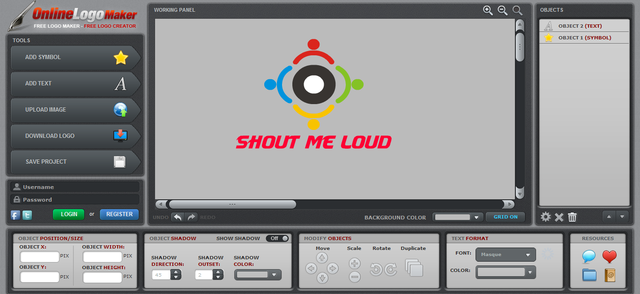
One of the best thing about this free logo creator web app is, it’s easier to work on it. Anyone with no design skills can create a logo using OnlinelogoMaker. To get started with your first logo, go to OnlineLogoMaker site and you will be seeing a logo creation window like this:
Following are the options to use Online Logo Maker

1. Working area:
Working area helps you to insert text, symbols and images to make your logo.

2. Properties panel:
It gives you option to edit and see the properties of any object your select from working area.

3. Objects:
Helps you to rename, delete or reorder objects while making logo.

4. Asset Buttons:
This gives you options to add symbols, text or pictures.

5. Other Buttons:
Allows you to save and load your logo.
All the above features are easy to use and help you to make your online logo attractive with lots of stylish symbols and features. So, get your own attractive logo now that for free and don’t forget to provide your feedback.
Do let us know your opinion: How important do you think a logo is important for any business/blog/website for branding? Do you know any other such online free logo creator apps or software’s?

Best 7 Awesome Websites To Create Free Logo For Your Business

Best 7 Awesome Websites To Create Free Logo For Your Business
It is a well proven fact that human beings’ visual memory is very powerful and they would tend to retain what they ‘see’, than for what they ‘hear’ or ‘read’, for a larger period of time. Going by this scientific logic, your business can be expanded if people can recognize your brand. Starting up a business might be easy, but a daunting task is to establish it as a brand, and this can be done when people are able to recognize your brand. So, the question is what can you do to use visual memory power of people for good of your own business? The answer is indeed simple, create a logo. A logo which would represent your business.


Create Free Logo Online
A logo which would help people in remembering your business. But wait, making a logo is not at all easy. One needs to find a good talented designer who can express and represent the business in form of a logo. While it’s not an easy task, but surely one can find a logo designer with a little effort. The real trouble in this approach starts appearing with the amount of money one needs to invest in a logo. While a professional designer might demand more than hundred of dollars, a newbie designer demanding less; might not be able to provide you with a descent logo.
But there’s no need to worry, every problem has a solution. In this post, we’ll explore some online sites which would help you in designing a descent looking logo for your business.


These sites provide you with a type of pre-defined templates to design your logo. Just add your brand name, choose an image, adjust various options, do some tweaking and you’re good to go. So, here goes our list of online logo designing sites.
NOTE: Some of the sites are very strict in the sense of providing free logos. Most of them offer a paid service either for a high resolution image of the logo or for gaining the rights of the logo et. all.

7 Best Free Logo Maker Websites You can Use Today:

Online Logo Maker (OnlineLogoMaker.com)
This seems like one of the best sites for designing a logo and getting it for really free. A good feature is this site is, it doesn’t force you to create an account for designing and downloading a logo.
Online Logo Maker
You can select an appropriate image from a wide variety of available images in different category or upload a custom image. Put up your brand name, adjust the color, alignment, size, proportion and your logo is ready. Fantastic results just by spending a few minutes online.
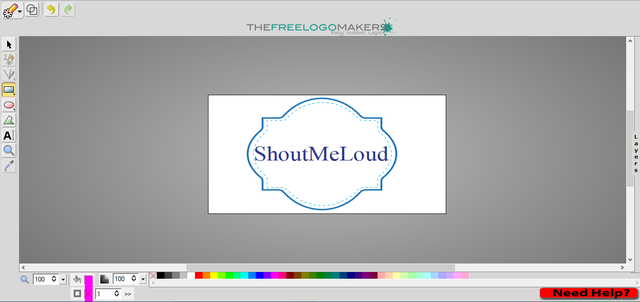
The Free Logo Makers (TheFreeLogoMakers.com)

This site provides a very basic user interface and kind of limited design templates to choose from. Yet, it promises a descent looking logo for anyone who is ready to devote a few minutes. Although getting your logo is free, you can get high vector graphics of your logo in 8 different sizes in transparent format by spending some bucks.

The Free Logo Maker
This might be a really good option if you really like what you’ve designed in the do-it-yourself editor. Apart from this, one can also hire a graphic designer who can transform unique concepts to awesome designs at just $19. Thus The Free Logo Makers provides variety of options like free, vector and custom logos. This is worthy for anyone on a low budget, but wants a logo personally crafted for their business.
Logo Genie (logogenie.net)

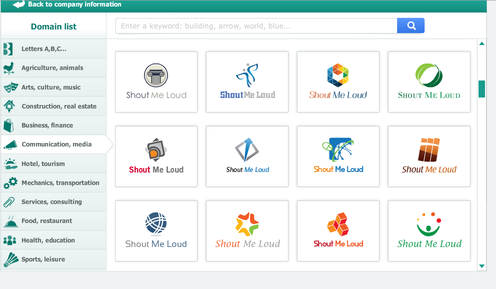
Logo Genie is one of the well known sites to create awesome logos online. It provides a very user-friendly and easy to use interface. Just select the category, put in your company name and you can see a lot of logos already ready.
Logo Genie
Once you select a particular logo, you can customize it even further, as per your requirements. Change it’s color, orientation, add some gradient and glow until you are satisfied with it. Now, you are ready to download the awesome logo designed by you.

Logo Garden (logogarden.com)
Logo Garden provides the user with easy to use DIY editor to make stunning logos. I liked the metallic finish effects and special symbol effects the site provides. You can try these effects as shown on the top right part named “Symbol Effects” as in the image below:

Thus it provides a unique user experience along with effects such as shadow, reflect distress, shine etc. The symbol effects such as trophies and medals makes your logo stand apart and completely awesome. After you’re satisfied with your design, you can register and get an instant downloading link for your logo.

Logo Design Image (logodesignengine.com)
Unlike other sites which gave a full-fledge editor for creating logos, this site provides very limited options. I felt searching for an image was also tiresome as it displays only five images on one page. So, one needs to keep jumping frequently to other pages.
Logo Design Image
Despite of providing limited options, it can be useful for some people who don’t want to use alignment, rotation and other options and just want a logo to be picked up very quickly. Once you create a logo, you can download it without any registration.
Logaster (www.logaster.com)
Want some really good designs for your logo? Then Logaster is the place you’ve to visit! Offering a pretty clean UI makes the process of creating logos super fast and efficient. I was pretty much amazed at getting a descent looking logo by just spending a few minutes on the site.
LogasterOnce you’re satisfied with your logo, you can create an account and quickly grab your freely created logo as a zip file. In the zip file downloaded, you would get six different modified logos like one with transparent background, another one with invert emblems etc. Despite of a low resolution image, it’s not that bad. Also, if you like the logo, you can get high resolution images as raster and scalable files by spending some bucks.

Free Logo Services (freelogoservices.com)
This site provide a variety of options for your logo. I really liked the simplistic designs that can be created with this site in just a few clicks. Once you choose a design, you can further adjust the colors, orientation etc. to match it to your business requirements.
Free Logo Services
Once the logo design is finalized, it also presents option to create similar business cards which is very essential to any business organization; be it online or offline. It would help you in establishing your business as a “Brand” and reaching out more people.
Tip: If you don’t want to work on these free sites to create logo, you can hire professionals on Fiverr to design a logo for you. By spending $5-$10, you can get a professional looking logo for your business or blog.


Have you tried any other sites for designing logos or What’s your take on designing logos online with these sites? Please let us know through the comments section below.