Don’t want to work with Google AdSense? No problem. There are many
alternative ad networks available for those who don’t want or can’t work
with Google for some reason.
Let’s look at some common scenarios in which people seek out alternate means of monetization.
Targeted Text Ads: These ads are text-based and are usually found in groups. They are targeted to match the site’s content or the search phrase that was used on a search engine to bring them to your site’s page.
In-Text: These style of ads popup when you hover over selected text phrases with your mouse. A small box pops up and usually contains either image, text or video as well as the ad’s link.
Display: Display ads contain images, headlines, body text and other elements used to get a viewer’s attention. Sizes range from eighth page to full page ads.
Banner: These are your typical image ads you see on many sites. They can be just the image or an image with a text line above or below it. Sizes range from button size to half page and come in all orientations.

Media.Net gives you exclusive access to the Yahoo! Bing Network. They are one of the world’s largest contextual ad networks and boast many top publishers like Forbes, ELLE, Reuters, and Good Housekeeping.
Media.Net offers publishers several ad styles. Do note however that they only allow one of each ad type to appear on a page.
The main ad style available is the content ad. These are contextual ad blocks that are available in different sizes to suit your needs.
The next ad type available is the search targeting ad. These appear the same way as contextual ads but are only displayed to search engine traffic.
Media.Net also provides web bar and mobile ads to its publishers.
I feel that this is the closest AdSense alternative currently available. But, be aware that they are known for suspending accounts and not stating the reason. So, if you use them, read all the rules and be careful to follow them.
Possible roadblock: Media.Net needs to approve each site you want to place ads on. And they’re a little strict on what sites they approve.
Through AdRecover, you can measure as well as monetize your ad blocked traffic. Since Ad block users are a sensitive audience, AdRecover maintains a very fine balance between user experience and Monetization, by showing user-friendly ads (that is no rich media, popups, auto-play video, flash ads, etc) and controlling the ad coverage on every page. They also provide website visitors an option to provide feedback about the ads and control their ad experience.
Great solution for publishers who are not generating any revenue from ad blocked traffic at the moment. Click here to know more about AdRecover.

Adsterra is a premium advertising network serving over 10 billion geo-targeted ad impression per month. They offer various popular ad formats for web and mobile devices: popunders, standard banners, pushups, interstitial, sliders, and direct links.
Adsterra works with websites from all types of niches and have a great ad fill rate for all countries. They are a perfect alternative to AdSense.
Publishers can enjoy on-time payments made bi-weekly via major payment systems, as well as a personal account manager and real-time statistics provided through Adsterra API. Adsterra also offers a 5% Referral program.
Learn more about Adsterra Network

In the past year Ad Maven has positioned itself as one of the top alternatives to Google Adsense. Offering their publishers a wide range of monetization methods such as Banners, Popunder, Lightbox, Interstitial, Slider ads and more – they serve over 500 million full page ad impressions per day.
Once you register you will be immediately approved and receive access to Ad Maven’s user friendly platform. Ad Maven identifies your website type and presents to your users ads that are most likely to convert, thereby increasing your revenues for all GEO’s.
Ad Maven also supplies a unique Adblock bypass solution allowing you to present ads to 100% of your users, increasing your revenues by up to 50%.

Adbuff is an AdSense Alternative ad network that has strict approval guidelines for publishers and advertisers. They are currently accepting publishers who have English sites with a majority of the traffic coming from USA, Canada, Australia and the UK. Publisher sites require at least 2,000 unique visitors per day. Approval times can take between 5 – 7 days and every approved site will receive a $25 welcome bonus for signing up.
For premium publishers who are looking for the best AdSense Alternative ad network, Adbuff is the first ad network you should look at.

Infolinks ad network currently serves targeted ads on over 125,000 websites. They work best on sites that contain large amounts text-based content.
Infolinks indexes your pages to determine the best ads to display. Several types of ads are available to publishers for use on their sites.
The main ad type Infolinks provides is their in-text ad links. Selected words on your page are selected and either double underlined or dotted underlined. When a visitor scrolls over one of the words, a pops up containing an ad relevant to the word appears.
These ads can appear a little spammy and get a little annoying when you accidentally move your cursor over a link. They do allow you to limit the number on a page, though.
They also have an ad block called related tags. These are very similar in look to AdSense horizontal link blocks.
A tag cloud ad block is available for your use if you feel it would be suitable for your site’s layout.
Infolinks has a search widget that sits at the bottom of the screen and when a visitor moves their cursor over its bar, it slides up to display its contents.
Infolinks will not approve a site if they feel it is thin on content.

RevenueHits is a fairly new ad network and looks very promising. They offer a nice variety of ad types including banner, pop-under, sliders, top and footer style banners, buttons, and interstitials.
They offer both contextual and geo-targeted ads. They are a performance-based network (CPA), not a CPC or CPM network. So make sure you understand that you are paid when a visitor to your site takes specific actions instead of being paid when they click on an ad.
RevenueHits offers payment via wire, PayPal and Payoneer. The current minimum payout is $50.
They do not allow ads to be placed on pages that do not contain content.

Chitika is an online advertising network with over 350,000 publishers. They serve over four billion targeted ads per month. Chitika has several top-tier advertising partners like Yahoo!, SuperMedia and HomeAdvisor.
Since the Chitika ads are search targeted, they work best with websites that get most of their traffic from search engines. Visitors that arrive at your site by other channels are displayed generic ads loosely based on your site’s title and keywords. If the majority of your traffic is from links or type-ins you may want to look at other AdSense alternatives.
They do allow you to use alternative ads that you can display to your non-organic visitors to better make use of your site’s ad space.
Publisher payments are available by PayPal starting with a $10 minimum.
Chitika is one of the few ad networks that has an affiliate program. This could bring in an additional income for you.

Adversal is an excellent alternative to AdSense if your site gets over 50,000 page views per month. They have fast approvals but make sure your site meets their requirements before you apply to be a publisher. They offer various banner sizes and types to publishers. Pop-unders and ministitial type ads are also available for publisher use.
Currently, their minimum payout is $20. A PayPal option is available. Adversal is also one of the few ad networks that have an affiliate program.
Please be aware that Adversal will reject any site that does not receive at least 50,000 page views per month.

Clicksor offers publishers multiple ad formats including clickable text and targeted contextual banner ads for use on their sites.
All ads displayed to your site’s visitors are context sensitive. This way your site visitors see ads that they will be more likely to click. They offer weekly payouts via PayPal or check. The minimum payout threshold is currently $50. Clicksor also offers an affiliate program that pays a 10% commission.
Caveat: They’re getting more picky on which sites they accept and are rejecting many sites that are not based in the US, Canada or the UK.

BidVertiser pays you on both clicks and conversions. This could help you make more money from your sites.
Text ads, banner ads, mobile ads and slider ads are available. They offer publishers a point-and-click ad builder tool that helps you to customize the ads to fit the look and feel of your site. They pay monthly by check, wire or PayPal. The current minimum payout is only $10 if you choose to receive payments through PayPal.
One downside to BidVertiser is that they use an advertiser bidding system. Each advertiser bids ad placement and what sites their ads appear on. So, it may take some time for advertisers to find your site in the BidVertiser network and start bidding on your ad spots.

Intellilinks lets you sell simple text links on your sites to advertisers for a set monthly fee. The more traffic you have and the better your search engine rankings, the higher you can set your monthly charge.
If you have a site that is ranked well and receives a good amount of traffic, you will want to take a close look at Intellilinks. For integration, they provide a WordPress plugin or script that is easy to install. This plugin or script automates the process of adding text links to your site. Sold links can be placed inside of content and on the sidebar as related links. Your site visitors do not have to click these links for you to be paid. Payments are made through PayPal on a monthly basis.
One negative thing about Intellilinks is that it may take time for advertisers to purchase links on your site.

PopAds specializes in pop-under ad delivery.
They claim that their average earnings for a site that receives 1000 unique visitors a day is $4.00 a day. You can select the minimum bid you will accept from advertisers as well as setting the frequency with which the pop-under ads display to site visitors. One of the great features of PopAds is that you can request payment of your PopAds revenue anytime you want. If you are earning at least $5 a day, you can even make payment requests on a daily basis.
Getting an account and site approvals is easy with PopAds.
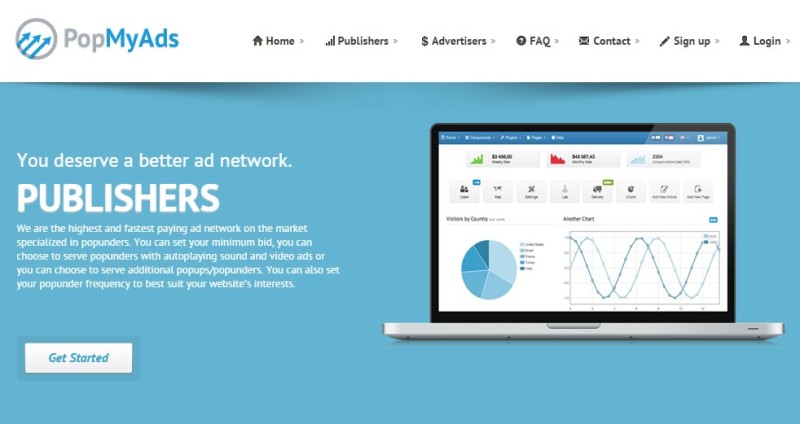
PopMyAds is a pop-under ad network that accepts publishers and traffic from all countries.
They provide quick site approval; many times in under one hour. This is one of the few ad networks that accepts legal adult sites. Please check their TOS for more details on the sites they accept.
Their minimum payout is just $5.00 and can be paid through PayPal or Payza. You can contact them if you need to be paid through wire transfer. All payments are processed in 1 to 7 business days. PayPal and Payza payments are usually processed within 1 business day of the payment request.

PropellerAds is a large ad network that specializes in pop-under ads but also provides standard banner ads, on-click ads, and in-banner video ads. They also have sliders, sponsored links and other ad formats available for publishers.
If your website is in one of the following niches, you will want to check them out: Games, entertainment, movies, dating, finances, software or gambling.
They also have a great ad fill rate for tier 2 and 3 countries. So if you have site visitors from India, South Africa or Singapore, you should give them a try.

Vibrant Media is an extremely popular ad network that you will see at work on many popular sites. They have many premium advertisers and pay high CPC rates to their publishers.
Let me give you an advance warning, though. They are very picky about what sites they accept. Any site you submit to them for approval must be of high quality and receive a minimum of 500,000 page views per month.
Vibrant use their own IntelliTXT technology that searches your pages for relevant keywords and phrases. It then underlines these and adds the code needed to open a small popup when the user hovers over the link. These popup ads are interactive and draw a high number of clicks. Vibrant also offers other ad types, including in-image and display.
Though site approval is difficult, if you do have a site that meets their minimum criteria, they are a great network to be on.
16. VigLink
VigLink helps you to monetize your sites by automatically converting key phrases and existing links into affiliate links.
VigLink supports over 32,000 affiliate merchants and pays you between 25% and 50% of all revenue earned by clicks on links converted by VigLink.
Currently, they offer three types of monetization technologies. Their VigLink Convert service takes many of your regular links to products and converts them to links that will earn you a commission if the product is purchased by the visitor clicking the link. VigLink Insert takes keyword phrases from your site and converts then into affiliate links. This works great if your site discusses a lot of products.
The third technology they offer is VigLink Anywhere. This technology is designed for sharing links via Twitter, Facebook, email etc. It’s easy to get approved and account activation is instant once you verify your email address. If you have been turned down by other networks, this one is worth checking out.

BuySellAds sells advertising space on your site to advertisers for you.
When you submit a site to BuySellAds for approval they look at your PageRank, Alexa score, inbound link count and other metrics to determine your site’s overall quality. They only accept high-quality sites.
You actually have control of what you feel your ad space is worth. But, be careful that you don’t price yourself out of the market. BuySellAds supports many ad types, including background takeovers, display, email newsletters, RSS feed ads, image plus text, text ads etc. They pay you 75% of the revenue your ad space brings in. BuySellAds only accepts English language sites. You also need to have a minimum of 100,000 page views per month.
Also, note that you must own the domain. They do not allow sites on wordpress.com, Blogger, etc. There are many reasons why people look for alternatives to AdSense. Getting rejected, getting banned, overly strict rules, and that sometimes contextual text ads just don’t work with a site’s design.
Now it’s time for you to explore all the options you have and pick the ad networks that works best for you, your sites and your goals.
Update: Apart from AdSense alternatives, you should also check out some native ad networks, mobile ad networks, CPM based ad networks and affiliate ad networks to explore alternate monetization options.
Let’s look at some common scenarios in which people seek out alternate means of monetization.
Reasons to Look For AdSense Alternatives
There are many reasons to look for AdSense alternatives—the most important being to create a hedge against unexpected account troubles and suggest drops in revenue. Some other reasons I commonly hear about include:- Google AdSense rejects many sites for not having enough content or if they feel your site would not be appropriate for their advertisers.
- Getting a site approved for Google AdSense is not as easy as it was in the past.
- If you read any of the internet marketing or webmaster forums, I’m sure you’ve seen thread after thread with a title that goes something like… “AdSense banned me! Why?”
- Google AdSense has a lot of rules and they monitor sites constantly. If you happen to break even one rule, they will not just ban the site, they will ban you and won’t let you open a new AdSense account. And even if you manage to open one somehow and they catch you later, they will ban the new account.
- Did you know that if you even accidentally click on an ad on your site you could be banned for life?
- Many site owners feel that Google AdSense rules are just too strict. Conforming to the many rules often leads to site design issues.
- In some instances, you have to redesign your entire site just so you can use Google AdSense.
- Contextual text ads sometimes just don’t fit a site’s design and layout. Other ad formats that Google AdSense does not support work better on many sites.
Types of Ads
Now let’s briefly take a look at the main types of ads available to publishers looking to shift to an AdSense alternative.Targeted Text Ads: These ads are text-based and are usually found in groups. They are targeted to match the site’s content or the search phrase that was used on a search engine to bring them to your site’s page.
In-Text: These style of ads popup when you hover over selected text phrases with your mouse. A small box pops up and usually contains either image, text or video as well as the ad’s link.
Display: Display ads contain images, headlines, body text and other elements used to get a viewer’s attention. Sizes range from eighth page to full page ads.
Banner: These are your typical image ads you see on many sites. They can be just the image or an image with a text line above or below it. Sizes range from button size to half page and come in all orientations.
Alternative Ad Networks
Here are the top alternative ad networks that you can use instead of Google AdSense. Take your time and check out each one of them. You should find several that will work well with your sites.1. Media.Net
Media.Net gives you exclusive access to the Yahoo! Bing Network. They are one of the world’s largest contextual ad networks and boast many top publishers like Forbes, ELLE, Reuters, and Good Housekeeping.
Media.Net offers publishers several ad styles. Do note however that they only allow one of each ad type to appear on a page.
The main ad style available is the content ad. These are contextual ad blocks that are available in different sizes to suit your needs.
The next ad type available is the search targeting ad. These appear the same way as contextual ads but are only displayed to search engine traffic.
Media.Net also provides web bar and mobile ads to its publishers.
I feel that this is the closest AdSense alternative currently available. But, be aware that they are known for suspending accounts and not stating the reason. So, if you use them, read all the rules and be careful to follow them.
Possible roadblock: Media.Net needs to approve each site you want to place ads on. And they’re a little strict on what sites they approve.
Bonus Network: AdRecover
AdRecover is an ad network which exclusively works on recovering your ad blocked inventory, which most publishers are currently not monetizing. Hence this opens a new avenue for publishers to increase their ad revenue by 10-35% by monetizing their ad blocked traffic, which most existing networks (including other networks in this list) cannot monetize since they are blocked by ad blockers.Through AdRecover, you can measure as well as monetize your ad blocked traffic. Since Ad block users are a sensitive audience, AdRecover maintains a very fine balance between user experience and Monetization, by showing user-friendly ads (that is no rich media, popups, auto-play video, flash ads, etc) and controlling the ad coverage on every page. They also provide website visitors an option to provide feedback about the ads and control their ad experience.
Great solution for publishers who are not generating any revenue from ad blocked traffic at the moment. Click here to know more about AdRecover.
2. Adsterra
Adsterra is a premium advertising network serving over 10 billion geo-targeted ad impression per month. They offer various popular ad formats for web and mobile devices: popunders, standard banners, pushups, interstitial, sliders, and direct links.
Adsterra works with websites from all types of niches and have a great ad fill rate for all countries. They are a perfect alternative to AdSense.
Publishers can enjoy on-time payments made bi-weekly via major payment systems, as well as a personal account manager and real-time statistics provided through Adsterra API. Adsterra also offers a 5% Referral program.
Learn more about Adsterra Network
3. Ad Maven
In the past year Ad Maven has positioned itself as one of the top alternatives to Google Adsense. Offering their publishers a wide range of monetization methods such as Banners, Popunder, Lightbox, Interstitial, Slider ads and more – they serve over 500 million full page ad impressions per day.
Once you register you will be immediately approved and receive access to Ad Maven’s user friendly platform. Ad Maven identifies your website type and presents to your users ads that are most likely to convert, thereby increasing your revenues for all GEO’s.
Ad Maven also supplies a unique Adblock bypass solution allowing you to present ads to 100% of your users, increasing your revenues by up to 50%.
4. AdBuff
Adbuff is the ultimate AdSense Alternative ad network due to their ability to outperform AdSense for many publishers. Because Adbuff is a Real Time Bidding (RTB) platform, AdSense is competing directly with other advertisers to monetize your site through Adbuff. As a result publishers earn some of the highest page RPMs available in the industry. Their ads are also fully compliant to run along-side AdSense, so you can even double your page RPM by running AdSense and Adbuff together.Adbuff is an AdSense Alternative ad network that has strict approval guidelines for publishers and advertisers. They are currently accepting publishers who have English sites with a majority of the traffic coming from USA, Canada, Australia and the UK. Publisher sites require at least 2,000 unique visitors per day. Approval times can take between 5 – 7 days and every approved site will receive a $25 welcome bonus for signing up.
For premium publishers who are looking for the best AdSense Alternative ad network, Adbuff is the first ad network you should look at.
5. Infolinks
Infolinks ad network currently serves targeted ads on over 125,000 websites. They work best on sites that contain large amounts text-based content.
Infolinks indexes your pages to determine the best ads to display. Several types of ads are available to publishers for use on their sites.
The main ad type Infolinks provides is their in-text ad links. Selected words on your page are selected and either double underlined or dotted underlined. When a visitor scrolls over one of the words, a pops up containing an ad relevant to the word appears.
These ads can appear a little spammy and get a little annoying when you accidentally move your cursor over a link. They do allow you to limit the number on a page, though.
They also have an ad block called related tags. These are very similar in look to AdSense horizontal link blocks.
A tag cloud ad block is available for your use if you feel it would be suitable for your site’s layout.
Infolinks has a search widget that sits at the bottom of the screen and when a visitor moves their cursor over its bar, it slides up to display its contents.
Infolinks will not approve a site if they feel it is thin on content.
6. RevenueHits
RevenueHits is a fairly new ad network and looks very promising. They offer a nice variety of ad types including banner, pop-under, sliders, top and footer style banners, buttons, and interstitials.
They offer both contextual and geo-targeted ads. They are a performance-based network (CPA), not a CPC or CPM network. So make sure you understand that you are paid when a visitor to your site takes specific actions instead of being paid when they click on an ad.
RevenueHits offers payment via wire, PayPal and Payoneer. The current minimum payout is $50.
They do not allow ads to be placed on pages that do not contain content.
7. Chitika
Chitika is an online advertising network with over 350,000 publishers. They serve over four billion targeted ads per month. Chitika has several top-tier advertising partners like Yahoo!, SuperMedia and HomeAdvisor.
Since the Chitika ads are search targeted, they work best with websites that get most of their traffic from search engines. Visitors that arrive at your site by other channels are displayed generic ads loosely based on your site’s title and keywords. If the majority of your traffic is from links or type-ins you may want to look at other AdSense alternatives.
They do allow you to use alternative ads that you can display to your non-organic visitors to better make use of your site’s ad space.
Publisher payments are available by PayPal starting with a $10 minimum.
Chitika is one of the few ad networks that has an affiliate program. This could bring in an additional income for you.
8. Adversal
Adversal is an excellent alternative to AdSense if your site gets over 50,000 page views per month. They have fast approvals but make sure your site meets their requirements before you apply to be a publisher. They offer various banner sizes and types to publishers. Pop-unders and ministitial type ads are also available for publisher use.
Currently, their minimum payout is $20. A PayPal option is available. Adversal is also one of the few ad networks that have an affiliate program.
Please be aware that Adversal will reject any site that does not receive at least 50,000 page views per month.
9. Clicksor
Clicksor offers publishers multiple ad formats including clickable text and targeted contextual banner ads for use on their sites.
All ads displayed to your site’s visitors are context sensitive. This way your site visitors see ads that they will be more likely to click. They offer weekly payouts via PayPal or check. The minimum payout threshold is currently $50. Clicksor also offers an affiliate program that pays a 10% commission.
Caveat: They’re getting more picky on which sites they accept and are rejecting many sites that are not based in the US, Canada or the UK.
10. BidVertiser
BidVertiser pays you on both clicks and conversions. This could help you make more money from your sites.
Text ads, banner ads, mobile ads and slider ads are available. They offer publishers a point-and-click ad builder tool that helps you to customize the ads to fit the look and feel of your site. They pay monthly by check, wire or PayPal. The current minimum payout is only $10 if you choose to receive payments through PayPal.
One downside to BidVertiser is that they use an advertiser bidding system. Each advertiser bids ad placement and what sites their ads appear on. So, it may take some time for advertisers to find your site in the BidVertiser network and start bidding on your ad spots.
11. Intellilinks
Intellilinks lets you sell simple text links on your sites to advertisers for a set monthly fee. The more traffic you have and the better your search engine rankings, the higher you can set your monthly charge.
If you have a site that is ranked well and receives a good amount of traffic, you will want to take a close look at Intellilinks. For integration, they provide a WordPress plugin or script that is easy to install. This plugin or script automates the process of adding text links to your site. Sold links can be placed inside of content and on the sidebar as related links. Your site visitors do not have to click these links for you to be paid. Payments are made through PayPal on a monthly basis.
One negative thing about Intellilinks is that it may take time for advertisers to purchase links on your site.
12. PopAds
PopAds specializes in pop-under ad delivery.
They claim that their average earnings for a site that receives 1000 unique visitors a day is $4.00 a day. You can select the minimum bid you will accept from advertisers as well as setting the frequency with which the pop-under ads display to site visitors. One of the great features of PopAds is that you can request payment of your PopAds revenue anytime you want. If you are earning at least $5 a day, you can even make payment requests on a daily basis.
Getting an account and site approvals is easy with PopAds.
13. PopMyAds
PopMyAds is a pop-under ad network that accepts publishers and traffic from all countries.
They provide quick site approval; many times in under one hour. This is one of the few ad networks that accepts legal adult sites. Please check their TOS for more details on the sites they accept.
Their minimum payout is just $5.00 and can be paid through PayPal or Payza. You can contact them if you need to be paid through wire transfer. All payments are processed in 1 to 7 business days. PayPal and Payza payments are usually processed within 1 business day of the payment request.
14. PropellerAds Media
PropellerAds is a large ad network that specializes in pop-under ads but also provides standard banner ads, on-click ads, and in-banner video ads. They also have sliders, sponsored links and other ad formats available for publishers.
If your website is in one of the following niches, you will want to check them out: Games, entertainment, movies, dating, finances, software or gambling.
They also have a great ad fill rate for tier 2 and 3 countries. So if you have site visitors from India, South Africa or Singapore, you should give them a try.
15. Vibrant Media
Vibrant Media is an extremely popular ad network that you will see at work on many popular sites. They have many premium advertisers and pay high CPC rates to their publishers.
Let me give you an advance warning, though. They are very picky about what sites they accept. Any site you submit to them for approval must be of high quality and receive a minimum of 500,000 page views per month.
Vibrant use their own IntelliTXT technology that searches your pages for relevant keywords and phrases. It then underlines these and adds the code needed to open a small popup when the user hovers over the link. These popup ads are interactive and draw a high number of clicks. Vibrant also offers other ad types, including in-image and display.
Though site approval is difficult, if you do have a site that meets their minimum criteria, they are a great network to be on.
16. VigLink

VigLink helps you to monetize your sites by automatically converting key phrases and existing links into affiliate links.VigLink supports over 32,000 affiliate merchants and pays you between 25% and 50% of all revenue earned by clicks on links converted by VigLink.
Currently, they offer three types of monetization technologies. Their VigLink Convert service takes many of your regular links to products and converts them to links that will earn you a commission if the product is purchased by the visitor clicking the link. VigLink Insert takes keyword phrases from your site and converts then into affiliate links. This works great if your site discusses a lot of products.
The third technology they offer is VigLink Anywhere. This technology is designed for sharing links via Twitter, Facebook, email etc. It’s easy to get approved and account activation is instant once you verify your email address. If you have been turned down by other networks, this one is worth checking out.
17. BuySellAds
BuySellAds sells advertising space on your site to advertisers for you.
When you submit a site to BuySellAds for approval they look at your PageRank, Alexa score, inbound link count and other metrics to determine your site’s overall quality. They only accept high-quality sites.
You actually have control of what you feel your ad space is worth. But, be careful that you don’t price yourself out of the market. BuySellAds supports many ad types, including background takeovers, display, email newsletters, RSS feed ads, image plus text, text ads etc. They pay you 75% of the revenue your ad space brings in. BuySellAds only accepts English language sites. You also need to have a minimum of 100,000 page views per month.
Also, note that you must own the domain. They do not allow sites on wordpress.com, Blogger, etc. There are many reasons why people look for alternatives to AdSense. Getting rejected, getting banned, overly strict rules, and that sometimes contextual text ads just don’t work with a site’s design.
Now it’s time for you to explore all the options you have and pick the ad networks that works best for you, your sites and your goals.
Update: Apart from AdSense alternatives, you should also check out some native ad networks, mobile ad networks, CPM based ad networks and affiliate ad networks to explore alternate monetization options.